 Data Solutions
Data Cleaning
Data cleaning turns uploaded files into design-ready layer data. The workspace records your intent, then the platform applies it as one verdict.
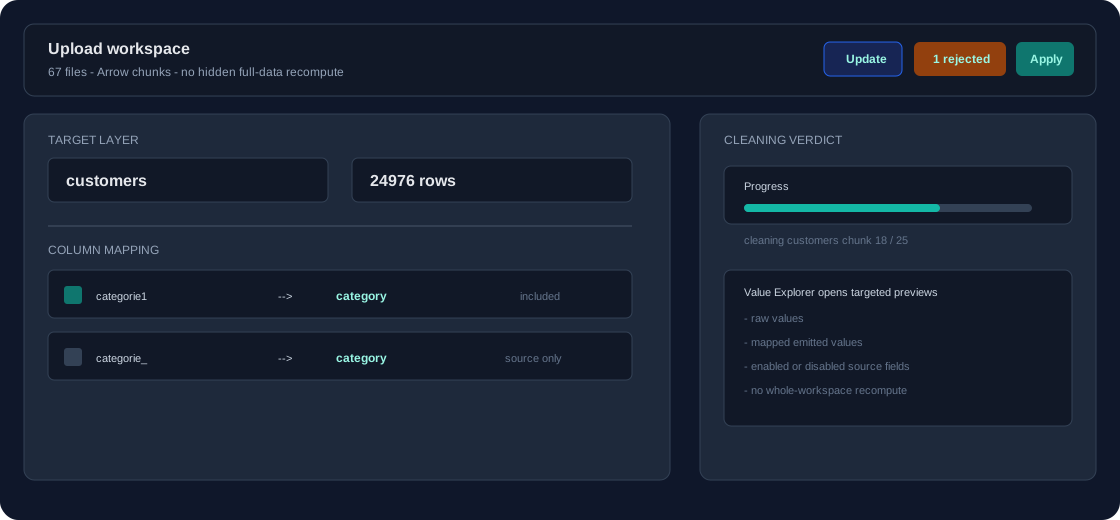
Cleaning order
- Read uploaded data from browser storage.
- Apply include, exclude, and rename choices.
- Apply exact value replacements, including intentional
null. - Normalize null-like values and coerce known domains.
- Resolve duplicate final columns using the selected primary source.
- Apply fill-from-column rules over emitted values.
- Emit cleaned chunks, then prepare map or edit-session data only where needed.
Disabled columns can still be sources
Disabling a column means it is not emitted as its own output field. It does not mean the values are useless. A disabled column can be retained privately during cleaning, normalized through replacements and domains, used by a fill rule, and then pruned before output.
Fill-from-column is emitted-value fill
If cat1 = "poor" maps to Pauvre, then backfilling cat from cat1 writes Pauvre, not "poor". Priority is ordered from first source to last source, and chained rules settle in the same cleaning verdict.
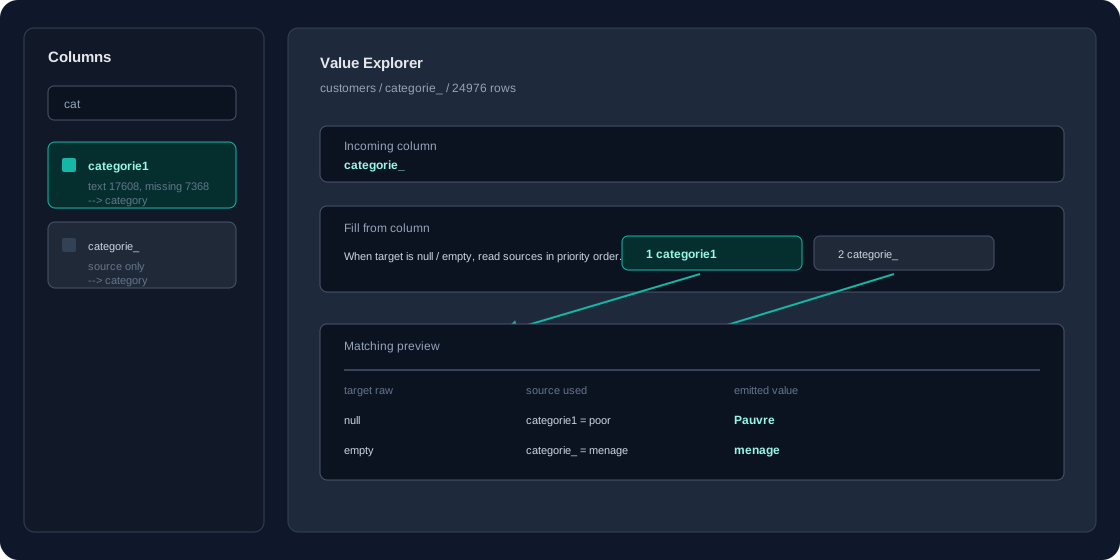
Turning values into null
Use a value replacement to emit JSON null when a token is meaningless, such as UNKNOWN, N/A, or a placeholder code. That null is applied before domain coercion and before fill-from-column rules, so later sources can repair the missing value.
Streaming and progress
Large uploads are processed in chunks. Progress should show the current layer and chunk so a long operation feels like active work, not a frozen page. Timeouts are intentionally long because legitimate data-cleaning jobs can take minutes.