 Data Solutions
Transformer Import
Transformer import is a staged workflow. You upload files, confirm how parsed layers map to design layers, clean the columns and values, then apply the result to the current transformer or batch workspace.
Recommended flow
- Open the Design upload workspace from the transformer context you intend to update.
- Add the source files and wait until reading is complete.
- Confirm the layer mapping before editing columns.
- Use Value Explorer for column-level decisions: include, source only, map values, or emit null.
- Run Update for a targeted clean preview.
- Apply only when the mapping, cleaning plan, and target workspace are correct.
Mapping layers
The target layer is model-owned. If a parsed file layer or survey form is unknown, map it once and save the alias into the project model so future imports benefit from the same knowledge.
Mapping columns
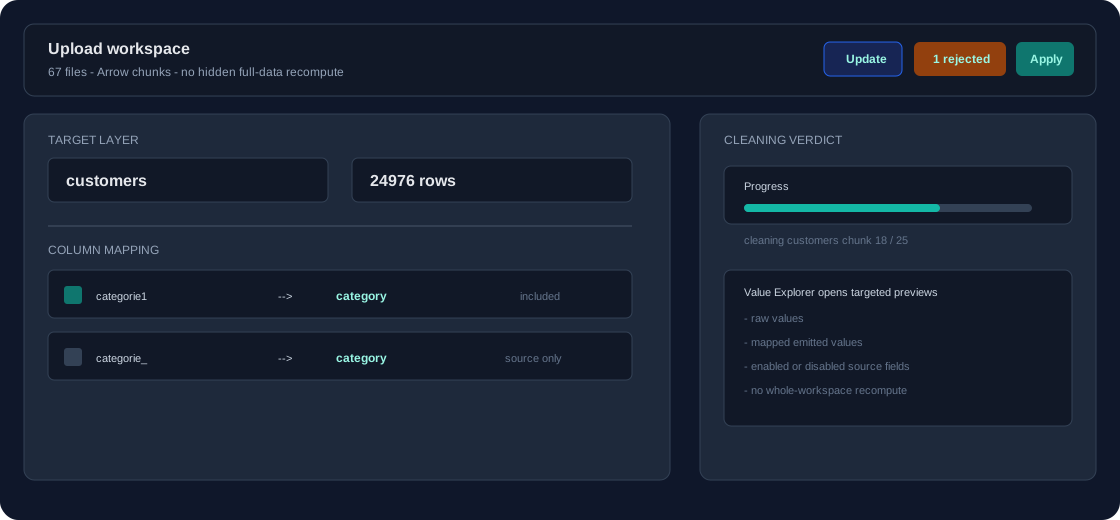
Prefer the canonical design column when two uploaded columns mean the same thing. The less trusted column can become source only and still feed a fill rule. This is common for DBF-truncated headers and survey exports where category, cat1, and categorie_ all represent one business field.
Applying the result
Apply is atomic. If the platform reports a conflict, the import stays open and points you to the layer, column, or value that needs a decision. There is no best-effort partial import.